Burn-After-Read File Link vs Permanent Link: 2026 Guide
Compare burn-after-read and permanent file links. Pick the right share mode by sensitivity, audience, duration, and reuse — with no-signup tool picks.
 AnyToURL Team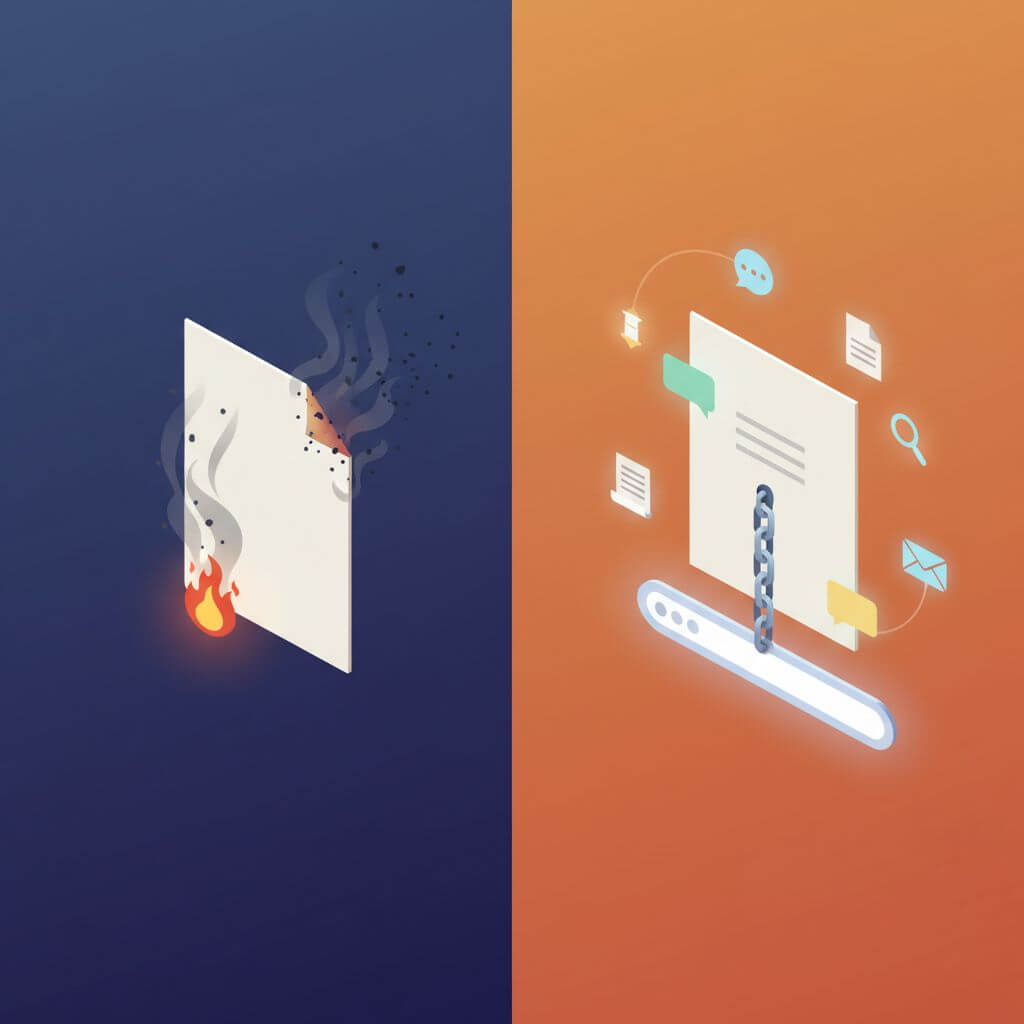
Today's Product Hunt #11 launch, Burn After, scratches a nerve that won't quit: people are tired of pasting sensitive files into chat threads that live forever. The same afternoon, Slack DMs ask "can you re-send last quarter's asset pack?" — and expect a link that still works. Two opposite needs, both rational, both poorly served by a one-size-fits-all share button.
This guide compares burn-after-read file links (one-time, self-destructing) against permanent file links (persistent, repeatable access). We'll cover what each mode is good for, where it fails, and how to pick based on four practical factors: sensitivity, receiver count, access duration, and whether the link needs to be reused.
Last updated: May 17, 2026.
Table of contents
- What burn-after-read and permanent file links actually are
- Top file-sharing tools, by mode
- Feature comparison table
- How to choose: the four-factor matrix
- How to share a file as a permanent link — step by step
- FAQ
What burn-after-read and permanent file links actually are
A burn-after-read file link (also called a one-time link or ephemeral file link) deletes itself after the first successful view or download. The content is unrecoverable afterward — even the sender can't open it again. Typical use cases: API keys, recovery codes, an ID scan, an NDA draft sent to a single lawyer.
A permanent file link is a URL that keeps serving the same file as long as the host keeps it (or until the owner deletes it). Anyone with the link can open it now or six months from now. Typical use cases: design assets, podcast MP3s, product demo PDFs, course downloads, marketing collateral.
Neither mode is "more secure" in the abstract. Burn-after-read shrinks the exposure window; permanent links accept a longer window in exchange for reach and reuse. The right pick depends on what you're sending, to whom, and for how long.
A related comparison covers the delivery-shape axis — peer-to-peer vs hosted vs persistent URL — across three popular browser tools: AnyDrop vs WeTransfer vs AnyToURL. This guide is the lifetime axis: how long the link should live, and who controls when it dies.
Top file-sharing tools, by mode
Below are the tools most teams reach for in 2026, grouped by the mode they default to.
Burn-after-read tools
Burn After (burnafter.app) — the PH #11 launch that prompted this comparison. Single-view, password-optional, no account required.
- Best for: one-off credential drops, recovery codes, ID scans to a single recipient.
- Not ideal for: anything you might need to resend without re-uploading; group access.
PrivateBin — open-source, self-hostable pastebin with optional burn-after-reading.
- Best for: technical teams comfortable running their own infra; text and code snippets.
- Not ideal for: binary file workflows or non-technical recipients.
OneTimeSecret — long-running service focused on short secrets (passwords, API keys), not full files.
- Best for: sending plaintext secrets in onboarding emails.
- Not ideal for: attachments larger than a few KB.
Yopass — self-hostable, browser-side encryption, one-time fetch.
- Best for: security-conscious teams that want client-side encryption proof.
- Not ideal for: casual senders who don't want to think about encryption keys.
Permanent-link tools
AnyToURL (anytourl.com) — file, text, and URL → shareable link in one tool. No signup; links persist by default; the owner can delete on demand.
- Best for: day-to-day sharing where the same link will be opened many times — assets, references, drop-in attachments, reusable share links.
- Not ideal for: maximum-secrecy single-view drops (pair it with a dedicated burn tool for that).
Dropbox / Google Drive shared links — the default permanent-link experience inside a workspace.
- Best for: internal teams already paying for the suite; ongoing folder collaboration.
- Not ideal for: sharing with people outside your workspace without friction, or quick one-off links.
WeTransfer — permanent-ish: links expire after 7 days on the free plan, longer on paid.
- Best for: large transfers (up to 2 GB free) to non-technical recipients.
- Not ideal for: anything you need to keep accessible months later on a free plan.
GitHub Gists — permanent text and small-file hosting tied to a GitHub account.
- Best for: code snippets, config files, technical docs.
- Not ideal for: binary assets or non-technical audiences who shouldn't see your GitHub.
Feature comparison table
In our testing, the eight tools fall into a clean grid along mode and account/expiry lines:
| Tool | Mode | Account required | File support | Expires | Best for |
|---|---|---|---|---|---|
| Burn After | Burn-after-read | No | Files + text | After 1 view | One-time credential drops |
| PrivateBin | Burn-after-read (optional) | No (self-host) | Text / code | Configurable | Self-hosted technical teams |
| OneTimeSecret | Burn-after-read | No | Short text only | After 1 view | Plaintext secrets |
| Yopass | Burn-after-read | No (self-host) | Files (~10 MB) | After 1 view | Security-first teams |
| AnyToURL | Permanent | No | File / text / URL | Until manually deleted | Reusable share links, asset distribution |
| Dropbox / Drive | Permanent | Yes | Files | Until deleted | Workspace collaboration |
| WeTransfer | Permanent (with expiry) | No (free) / Yes (paid) | Files up to 2 GB | 7 days free | Large one-off transfers |
| GitHub Gist | Permanent | Yes | Text + small files | Until deleted | Code snippets |

A few rows deserve a closer look. Account required is a quiet friction tax — every "please sign in" between sender and receiver doubles drop-off. Expires is the row that most teams misjudge: most people assume "after 1 view" means "safer," but it also means "unrecoverable if the recipient misclicks" — a real cost for time-sensitive workflows.
How to choose: the four-factor matrix
Use this four-question decision matrix. Score each row, then read the recommendation below.
| Factor | Burn-after-read fits when… | Permanent link fits when… |
|---|---|---|
| Sensitivity | A leaked link = real damage (credentials, IDs, NDA drafts) | Leak risk is low (public assets, marketing PDFs, podcasts) |
| Receiver count | One known recipient | Multiple recipients, or unknown future audience |
| Access duration | Needed within minutes or hours | Needed for days, weeks, or indefinitely |
| Reuse | The recipient will open it once | The same person — or new people — will open it many times |
Reading the score:
- 3–4 rows lean burn → use burn-after-read. This is the credentials-to-a-lawyer case. The cost of leaving the link alive outweighs the inconvenience of regenerating it if the recipient misses it.
- 3–4 rows lean permanent → use a permanent link. This is the asset-pack-for-the-marketing-team case. Re-uploading every time someone re-opens the link is friction with no security benefit.
- 2/2 split → default to permanent + manual delete. Send a permanent link, set a reminder to delete it when the work is done. You keep audit trails, can re-share without re-uploading, and still close the exposure window when you're done.
A practical anti-pattern: using burn-after-read for team collaboration (the first reader "burns" the link for everyone else), or for anything you might need to resend (forgotten link = full re-upload + re-send). Conversely, using permanent links for single-use secrets (the link sits in inbox history forever) is the original sin most teams commit.
How to share a file as a permanent link — step by step
For permanent-link use cases (assets, docs, references, podcast files), here's the fastest no-account path. Drop your file into AnyToURL and you'll get a shareable link in seconds — no signup needed.
- Open anytourl.com.
- Drag the file into the upload area, or click Paste text if you're sharing a snippet, or URL to shorten a long link.
- Wait a few seconds for the upload to finish.
- Copy the short link. Paste it into Slack, email, a Notion page — anywhere a URL works.
- If you ever need the file gone, return to the tool and delete it; the link stops resolving immediately.
This is the right path when you're sharing something like a Notion export, a design preview, an MP3, or a PDF you'll resend over a project's lifetime. For one-time secrets, pair it with a burn-after-read tool from the table above.

FAQ
Is a burn-after-read link more secure than a permanent file link?
It depends on what "secure" means. Burn-after-read shrinks the time window the link is valid, which lowers the risk of leaked-link replay. It doesn't protect against the recipient screenshotting, forwarding, or saving the content. For low-sensitivity assets, a permanent link plus manual delete is often equally safe and far more practical.
What happens if the recipient never opens a burn-after-read link?
The link sits until the service's max retention window (often 7–30 days) and then expires unread. You'll need to regenerate and resend. This is the main usability cost of burn mode — if recipients are unreliable, you'll re-upload a lot.
Can I make a permanent link expire later?
Yes on most tools. AnyToURL keeps links live until you manually delete; WeTransfer expires after 7 days on free plans; Dropbox and Drive let you set expiration on paid plans. If you want "permanent with an optional kill switch," the manual-delete model is usually the simplest.
Is there a free file-to-URL tool that doesn't need signup?
Yes. AnyToURL generates a permanent share link from any file, text snippet, or URL without an account. It's the fastest path when you want a reusable link and don't want to add another login to your stack.
Burn after read vs permanent link — which one wins?
Neither, in isolation. A healthy share workflow uses both: burn-after-read for the 5% of high-sensitivity, single-recipient, single-view drops, and permanent links for the other 95% — assets, references, ongoing collaboration. Picking one as a universal default is what makes either mode feel broken.
Can I "burn" a permanent link manually?
Yes — AnyToURL and most permanent-link tools let you delete a link at will. The difference from a true burn-after-read tool is that you control the timing, not the first reader. For medium-sensitivity files, that's usually what you actually want.
Are one-time file links audit-friendly?
Less so than permanent links. Most burn-after-read tools tell you whether the link was opened, but not by whom, from where, or how many failed attempts preceded the successful one. Permanent links on hosted services usually log access events you can review later — a real edge for compliance-heavy workflows.
Need a permanent share link without the signup wall? Try AnyToURL free → — drop in a file, paste text, or shorten a URL in under five seconds. For one-time secrets, pair it with a dedicated burn-after-read tool — that combo covers 95% of real-world sharing without forcing you to compromise on either end.