How to Share AI Prompts and Context Between Tools
Share AI prompts between tools without copy-paste. A workflow for moving prompts, specs, and context across ChatGPT, Claude, Cursor, and teams.
 AnyToURL Team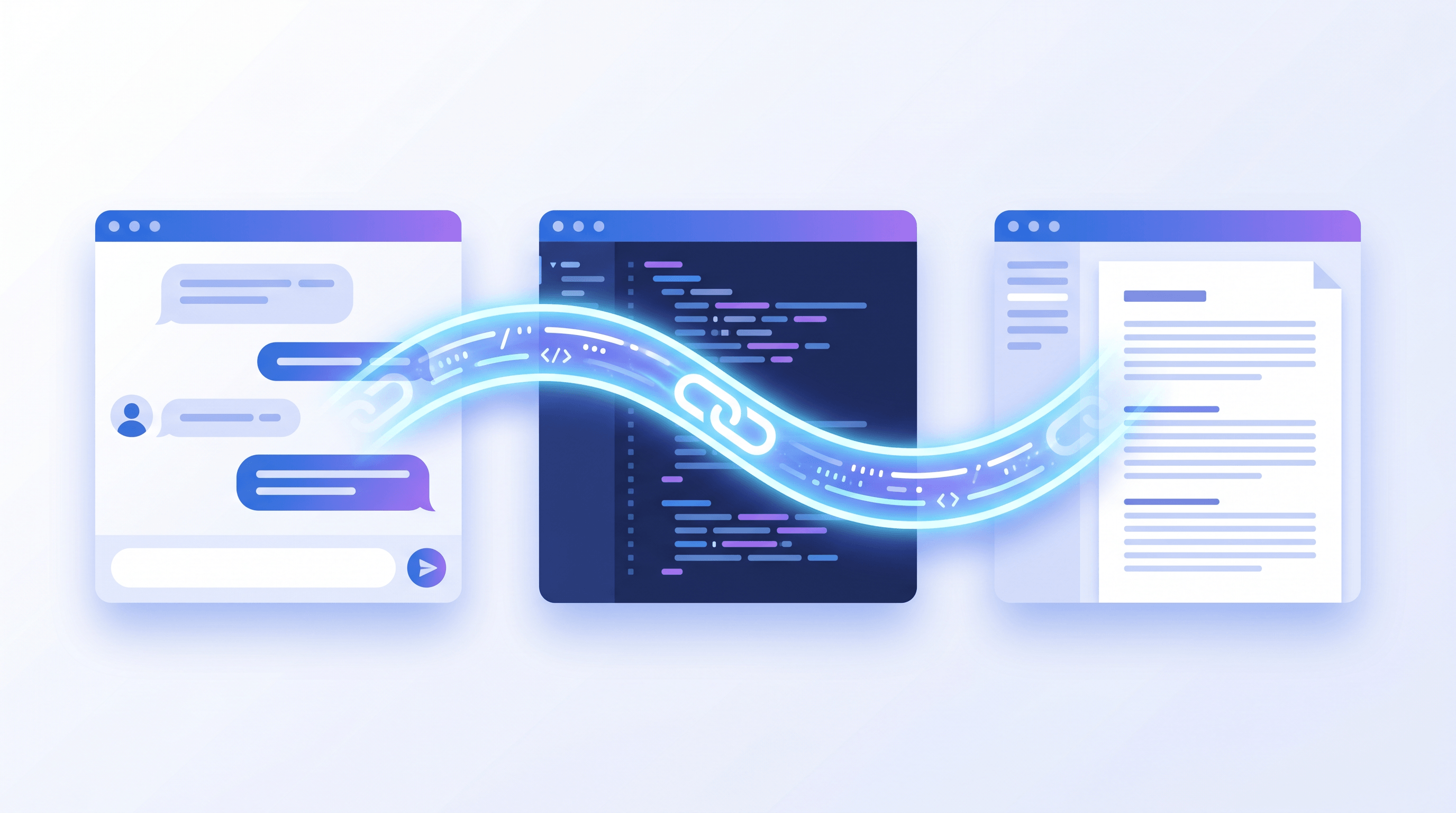
On June 10, 2026, a tool called agmsg hit Product Hunt with a pitch that landed in one line: "Stop copy-pasting between your AI coding agents." The same week, GitHub Trending filled up with agent-skills and pm-skills repos. The signal is hard to miss — people now run three, four, even five AI tools side by side, and the glue between them is still the clipboard.
Here is the daily reality. You write a careful 600-word prompt in ChatGPT and it works. Now you want Claude to take a pass, so you copy, switch tabs, paste, and re-explain the project context Claude has no memory of. Then Cursor needs the same spec to write the actual code. Then a teammate asks for "that prompt you used last week" and you go digging through chat history to find it.
This guide shows how to share AI prompts between tools without that ritual — by turning prompts, specs, notes, and context into a single shareable link any tool or person can open. We cover the method, a step-by-step workflow, and three real scenarios: coding agents, content pipelines, and team prompt libraries.
Last updated: June 10, 2026.
Table of Contents
- The Challenge: Copy-Paste Is the Tax on Multi-Tool AI Work
- How Shareable Context Links Solve This
- Practical Workflow: Step by Step
- Results & What to Expect
- Tips by Scenario
- FAQ
- Conclusion
The Challenge: Copy-Paste Is the Tax on Multi-Tool AI Work {#the-challenge}
The core problem with sharing AI prompts between tools is that each tool is a walled garden. Your prompts, context, and specs live inside one chat history with no stable address. Moving them means manual copy-paste, which truncates long content, breaks formatting, and forces you to re-explain context every single time.
Picture a solo developer running Claude for architecture, Cursor for implementation, and ChatGPT for debugging. The same project spec gets copied between those three tools 15 to 20 times a day. Each hop has a cost. Paste a 2,000-word spec into a chat box and it often gets cut off, so you send a "continue, here's the rest" follow-up. Markdown tables and code fences arrive mangled. And nobody can tell which copy is the current one — the version in Cursor drifted from the version in ChatGPT two edits ago.
Teams feel it worse. A prompt that one person tuned over an afternoon becomes tribal knowledge buried in a DM. Onboarding a new teammate turns into "let me find that message," and the answer is usually a screenshot. The work isn't writing prompts — it's the manual labor of moving them around.
How Shareable Context Links Solve This {#how-shareable-context-links-solve-this}
The fix is a shift in what you move. Instead of moving the text between tools, you move a pointer to the text. Give your context a stable URL, and any tool that accepts a link — or any human — reads from one source of truth. No truncation, no format damage, one canonical version, instant handoff.
This works because most AI tools already read URLs. Paste a link into Claude, ChatGPT with browsing, Perplexity, or a coding agent, and it fetches the full document instead of choking on a giant paste. The link carries the whole thing: a 5,000-word spec, a markdown style guide, an attached .txt of requirements. Your chat box stays clean and your context window isn't burned re-pasting the same boilerplate.
A context link worth building a habit around needs three properties. First, it has to hold the full payload — raw prompt text, a markdown spec, or an actual file. Second, it has to open with no signup or install on the receiver's side, because friction on the other end kills sharing. Third, it has to be fast to create; if minting a link takes more steps than copy-paste, you'll never switch.

Practical Workflow: Step by Step {#practical-workflow}
Here is the loop that replaces the clipboard. Four steps, repeatable, and it works the same whether your "context" is a one-paragraph prompt or a multi-file spec.
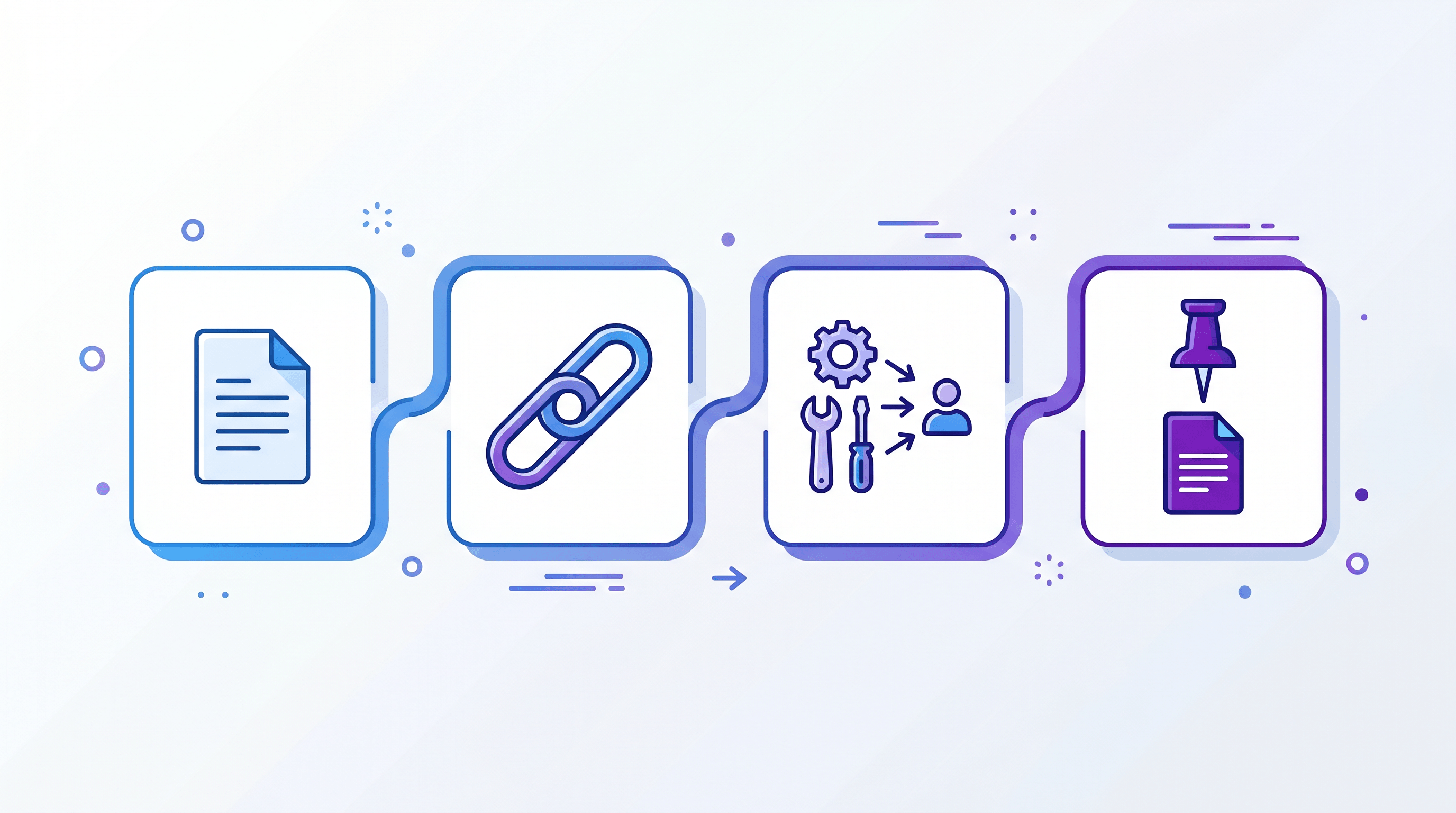
Step 1: Capture your prompt or context as one document
Pull together the pieces you keep re-pasting: the prompt itself, the project spec, relevant notes, and any reference file. Keep it as plain text or markdown so it travels cleanly. The goal is one self-contained document a fresh tool could read with zero prior context.
Step 2: Turn it into a shareable link
Now mint a URL for that document. Drag your spec file into AnyToURL and you get a shareable link in seconds — no signup needed. It handles the three shapes context usually takes: paste raw prompt text, upload a file, or shorten an existing URL, and you get one link back either way. For markdown specifically, the same approach covers the full flow described in sharing markdown notes as a URL.
Step 3: Hand the link to any tool or teammate
Paste the URL where the work continues. To an AI tool, prefix it with an instruction: "Read this context and continue: https://anytourl.com/s/..." — ChatGPT, Claude, Cursor, and most agents will fetch it. To a teammate, drop the same link in Slack. One artifact, many destinations, zero re-explaining.
Step 4: Keep one canonical version
When the prompt evolves, update your source document and regenerate the link, then pin the latest URL where your team or your tools look for it. The discipline that matters is having a single canonical address instead of five divergent pastes. A shortened URL (via the URL shortener) makes that canonical link short enough to drop into any prompt without clutter.
Results & What to Expect {#results}
Switching from copy-paste to context links removes a specific class of friction rather than saving a vague "lot of time." In our testing, the changes were concrete and repeatable.
For long prompts, the "your message got cut off, continue" follow-ups disappeared. A 2,000-word spec that previously took three or four paste attempts to feed an agent became a single link the agent read in one shot. Formatting survived — code blocks and tables arrived intact instead of flattened. For team handoffs, "let me find that prompt" turned into pasting a URL, which collapsed a multi-minute search into a few seconds. And because everyone pointed at the same link, the silent version drift between tools stopped: there was one current copy, not five guesses.
The honest caveat: this only pays off if creating the link is genuinely faster than pasting. The first time you do it, it feels like an extra step. By the third reuse of the same context link, it's clearly cheaper.
Tips by Scenario {#tips-by-scenario}
The pattern is the same, but the highest-value move differs by who you are.
For coding agents (Claude Code, Cursor, agmsg-style setups): Keep one project-context link — stack, conventions, constraints, file structure — and feed it to every agent at the start of a session instead of re-pasting. Link to specs rather than pasting them inline, so you don't burn the context window on boilerplate the agent could just fetch.
For content workflows: Store your brand voice and style guide as one link and paste it into whichever writing model you're using that day. Share "draft plus brief" as a single link to reviewers instead of juggling email attachments, so feedback happens against one current version.
For team prompt libraries: Give every reusable prompt a stable URL and collect those links in one index doc. New teammates onboard from a list of links, not from Slack archaeology, and improvements propagate because everyone references the same canonical address.
FAQ {#faq}
Q: How do I share a ChatGPT prompt with Claude without retyping it?
Save the prompt as text, turn it into a shareable link, and paste the link into Claude with "read this and continue." Claude fetches the full prompt from the URL, so nothing gets retyped or truncated, even for long prompts.
Q: Can I share AI prompts between tools without an account?
Yes. With a tool like AnyToURL you can paste prompt text or upload a file and get a public link without signing up, and the person or tool opening it needs no account either. That zero-friction open is what makes links beat copy-paste for handoffs.
Q: What's the best way to give a coding agent full project context?
Put your stack, conventions, and constraints in one document, mint a link for it, and pass that link to the agent at the start of each session. The agent reads the whole document from the URL instead of you pasting fragments, and your context window stays free for the actual task.
Q: How do I share a long prompt that gets cut off when I paste it?
Move the prompt into a linkable document instead of the chat box. A URL carries the entire prompt regardless of length, so a 5,000-word spec opens fully on the other side — no "continue, here's the rest" follow-ups.
Q: Can my team reuse prompts without copy-pasting them around?
Give each reusable prompt a stable URL and keep an index of those links. Teammates open the link to use the prompt, and when you improve it you update the canonical version once, so everyone is always pointing at the latest copy.
Conclusion {#conclusion}
Running multiple AI tools is now normal; moving context between them by clipboard is the part that hasn't caught up. The shift is small: stop shipping the text, start shipping a link to it. One canonical URL beats five divergent pastes — it survives length limits, keeps formatting, and turns handoffs into a single paste.
The first step is easy to try today: take the one prompt or spec you re-paste most often, turn it into a link, and feed that link to your next tool instead of the text.
Need to move prompts and context between tools without the copy-paste tax? Try AnyToURL free → — paste your prompt, drop a spec file, or shorten a URL, and share one link with any AI tool or teammate.