
MP3 to URL: How to Share an Audio File as a Link
Upload an MP3 and get a link that plays in any browser — no attachments, no accounts for your recipient. The exact steps, what recipients see, free-tier limits (5 MB, 24 hours), and how expiry, privacy, and deletion actually work.
You finished a demo track, exported a podcast episode, or recorded a voice memo. Now someone needs to hear it — a client, a collaborator, a teammate — and the file is too big (or too awkward) to email. The fastest fix is to turn the MP3 into a URL: upload the file to a file-to-link host, copy the link it generates, and send that link instead. Your recipient clicks it and the audio plays right in their browser. No app, no sign-up on their side, no compressed "attachment" version.
That's the whole move. The rest of this guide walks through the exact steps, shows what your recipient actually sees, and covers the part most tool pages skip: what happens to the link afterward — how long it stays live, what the size and bandwidth limits are, who can open it, and how to fix or kill it later.
What you need
- The audio file itself (MP3, WAV, OGG, M4A, FLAC, AAC — most common formats work)
- A browser. Nothing to install.
How to convert an MP3 to a URL
1. Open the uploader
Go to AnyToURL's MP3 to URL tool. It's a browser page — the uploader is at the top, no account required to start.
2. Upload the audio file
Drag and drop your file, click to browse, or paste one from your clipboard. MP3, WAV, OGG, M4A, FLAC, and AAC are all accepted, and files are kept exactly as uploaded — the original quality and bitrate are preserved, because the link will serve the file itself rather than a re-encoded copy.
On the free Starter plan, files can be up to 5 MB — that covers a compressed three-to-four-minute MP3, most voice memos, and short audition clips. If your file is larger, the paid plans raise the cap substantially (details below).
3. Copy the generated link
The moment the upload finishes, a shareable URL appears — something in the shape of anytourl.com/s/…. There's no processing queue or approval step; the link is live as soon as you see it. Click Copy URL.
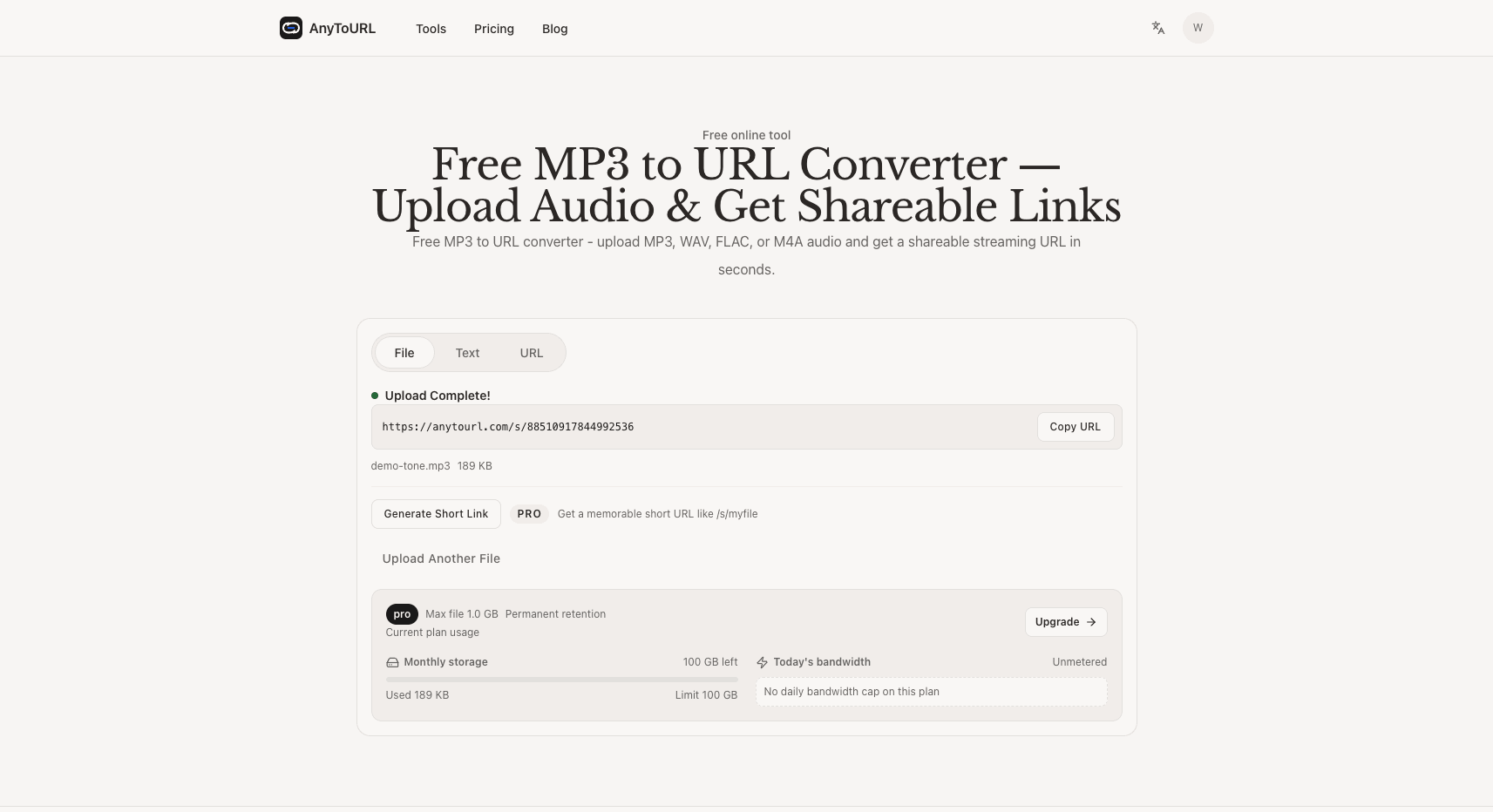
The link appears the moment the upload finishes. Short links are a paid-plan feature; this view is from a paid account.
4. Share it anywhere
Paste the link into a chat, an email, a ticket, a slide, or your CMS. When someone opens it, the audio plays in their browser. On paid plans you can also generate a short, memorable link (like /s/your-track) if the long URL feels unwieldy for print or social use.
What your recipient sees
This is the part worth knowing before you send anything, because it's more polished than a bare file dump. Opening the link shows a hosted player page: your filename, the file size and format, the upload date, and an audio player that starts right in the page. There are Download file and Copy link buttons, a "Report content" option, and counters showing views and downloads. Playback is served over HTTPS from a CDN, and per AnyToURL there are no pre-roll ads or banners — the listener just hears the audio.
Your recipient doesn't need an account for any of this. The page loads for anyone who has the URL, on desktop or mobile.
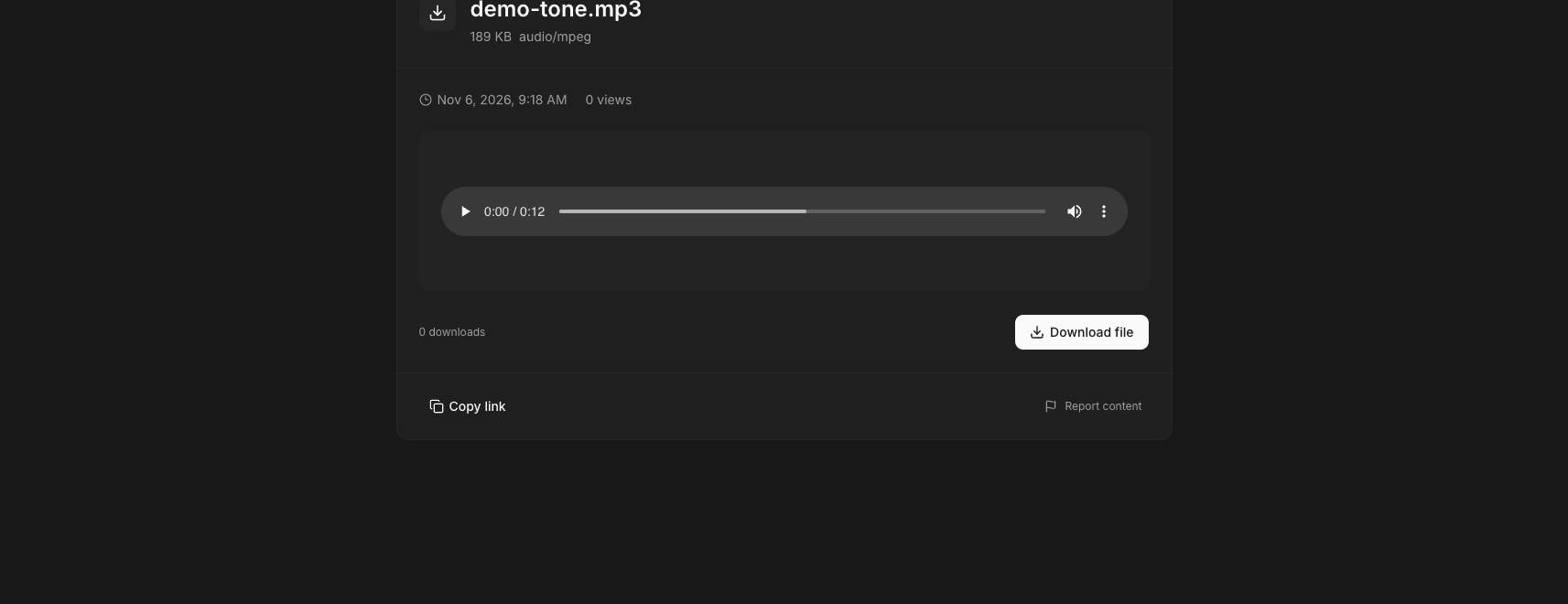
What the recipient sees: the audio plays right in the browser, with a download button and view counters.
If you want to see the flow yourself before sending a real file, try it with any MP3 under 5 MB — the MP3 to URL tool is free, and no credit card is required.
How long does the link stay live?
This depends entirely on the plan, and it's the question most people forget to ask until a link quietly stops working.
| Plan | Price | Max file size | Storage | Retention | Daily bandwidth |
|---|---|---|---|---|---|
| Starter | Free | 5 MB | 1 GB uploads/month | 24 hours | 1 GB/day |
| Pro | $9.9/month | 1 GB | 100 GB/month | Permanent (per pricing FAQ) | Unmetered |
| Ultra | $29.9/month | 10 GB | 1 TB/month | Permanent | Unmetered |
Plan details as checked on November 6, 2026. Pro and Ultra also add API/CLI upload and short-link generation.
On the free tier, the link works for 24 hours, then the hosted copy is removed and the URL stops playing. For a one-off handoff — "listen to this before EOD" — that's often exactly what you want. For anything that needs to stay reachable (a portfolio track, a podcast archive), the paid plans are the option: AnyToURL's pricing FAQ states that Pro and Ultra keep files permanently, and the Ultra plan lists permanent retention explicitly.
One more free-tier limit worth knowing: bandwidth, not play counts, is what actually caps a free link's audience. Starter includes 1 GB of bandwidth per day — arithmetically, that's roughly 200 full streams of a 5 MB MP3 in a day. If you're sending a demo to one client, you'll never notice. If you're broadcasting a link to a large group, that's what paid plans' unmetered bandwidth is for.
If a link expires or breaks
There's no way to revive an expired free link — once the 24-hour retention window closes, the hosted copy is gone. The recovery is simple, though: re-upload the same file and you get a fresh link. Send the new URL; the old one stays dead.
That same mechanism is also how you revoke a link you no longer want live. Deleting the file from your file history kills the URL immediately — in a test with a freshly uploaded file, the share page and the underlying download endpoint both returned errors the moment the file was deleted. So the pattern for sensitive audio is: share the 24-hour link, then delete the file early if the recipient has already listened.
Who can open the link: privacy and control
AnyToURL links are unlisted. There's no public feed or search directory — your uploads aren't browsable by other users, and discovery only happens through the URL itself. That makes the setup workable for unreleased music, client mixes, and internal recordings.
The access model, though, is exactly "anyone with the link": the URL is the key, and there's no password option to layer on top. Whoever you send it to can forward it, and anyone who holds it can play the track and download the file. So treat the link like a key to the room, not a locked room: send it directly to your recipient rather than posting it publicly, and use deletion or the 24-hour window when the audio shouldn't circulate.
When a link beats the alternatives
- Email attachment — hits size limits around 20–25 MB, and piles a copy into every inbox. An audio link carries the file once and plays on arrival. (The same logic applies to PDFs — see how to share a PDF as a link.)
- Cloud drive — works, but many drives push your recipient through account logins and permission requests. A direct audio link opens with no sign-in step.
- Publishing platforms — SoundCloud-style platforms give you discovery and a profile, but also public feeds, upload queues, and an audience your demo may not be ready for. A plain link is the quieter option when you want exactly one listener path.
The same file-to-link pattern isn't limited to audio: it works for video, Markdown notes, and files coming out of AI tools.
FAQ
What audio formats can I turn into a URL? MP3, WAV, OGG, M4A, FLAC, and AAC are accepted, among others. Files are stored as uploaded, so bitrate and quality are untouched.
Is it free? Yes — the Starter plan is free and covers files up to 5 MB with 24-hour retention. Paid plans (currently $9.9 and $29.9 per month) raise the size cap, add monthly storage, and keep files permanently, per the pricing FAQ.
Does my recipient need an account? No. The link opens a player page that anyone can use — play in the browser, or hit Download file. No sign-in, no app.
How long does an MP3 link last? 24 hours on the free Starter plan. Pro and Ultra keep files permanently, per AnyToURL's pricing FAQ, and you can delete a file at any time to kill its link early.
Does converting to a URL change the audio quality? No re-encoding happens — the link points to your original file on the CDN, so what plays is the file you uploaded.
Can I see how many people played it? The share page and your file history show view and download counters, so you can tell whether a link has been opened and how often.
Conclusion
Turning an MP3 into a URL is a two-minute fix for the oldest problem in audio collaboration: the file is on your machine and the listener is somewhere else. Upload, copy the link, send it — and know the lifecycle before you do. On the free tier that means a 5 MB file and a 24-hour window; on paid plans it means bigger files and permanent hosting. Either way, the link is the key: share it deliberately, and delete the file when the job is done.
Ready to send a track? Upload your MP3 and get a shareable link — free to start, and the link is live the moment the upload finishes.
Last updated: November 2026.